

Download and register (non University users)
This guide aims to aid individuals working at the University of Newcastle without a university email address in downloading the SafeZone app on their mobile devices and navigating through the registration process.
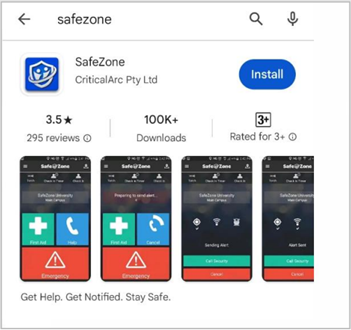
Step 1 – Install the SafeZone app
Download the SafeZone app on your mobile device from either the Apple Store or Google Play.
Step 2 – Register for the app
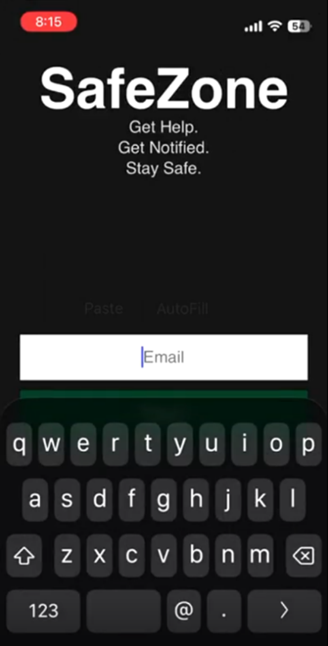
Enter your university email address i.e. firstname.surname@gmail.com and hit ‘Next’.
If you encounter an error after clicking Next, please reach out to safezone@newcastle.edu.au before proceeding to next step.
Step 3 – Set up your Password
Enter a temporary password as shown below and hit 'Next'.
You will receive a welcome email from our vendor Critical Arc. If you don’t receive an email, click on Resend to receive a temporary password.
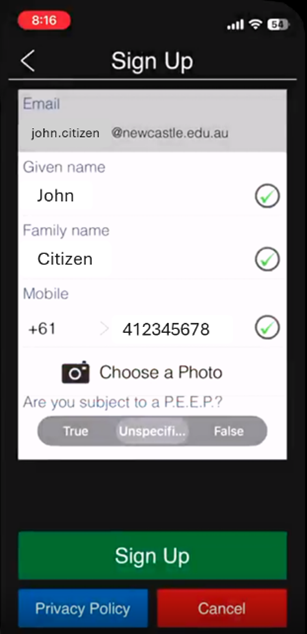
Complete the registration form shown here.
Enter a new password and provide your personal details and select 'Sign Up'.
Note: your email is pre-populated.
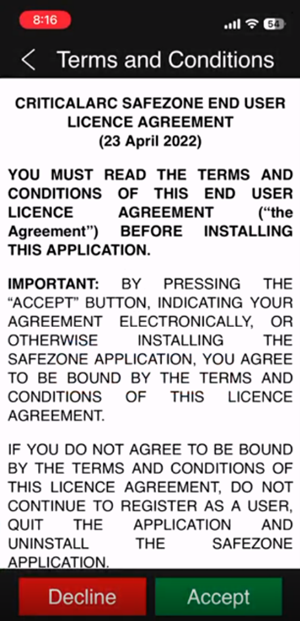
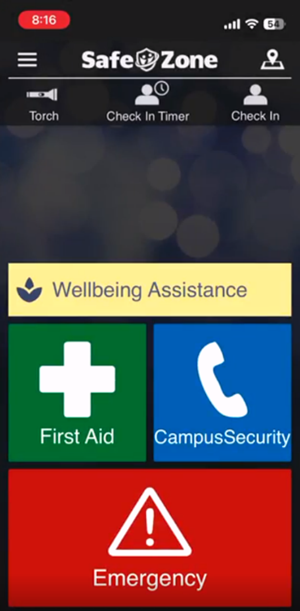
You have successfully completed the registration for the SafeZone App. The following screen will now be your landing page.
The University of Newcastle acknowledges the traditional custodians of the lands within our footprint areas: Awabakal, Darkinjung, Biripai, Worimi, Wonnarua, and Eora Nations. We also pay respect to the wisdom of our Elders past and present.